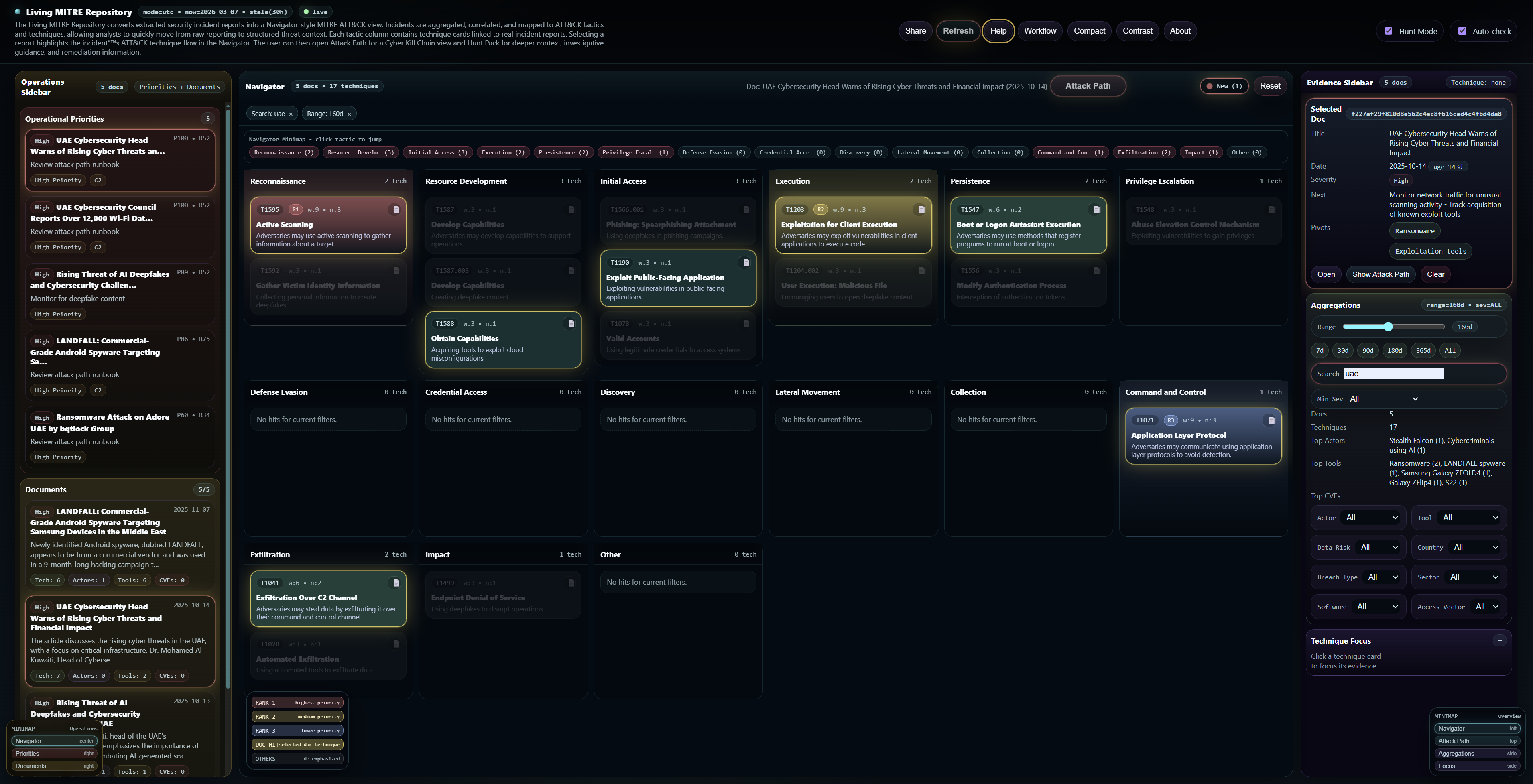
Technique cards under ATT&CK tactics
A broad view for finding patterns, ranking techniques, and opening linked incident reports.

A living threat repository where real-world incidents are continuously mapped to ATT&CK tactics and techniques, in a Navigator-style view. Filter the data, open a report, highlight its technique chain, and move into Attack Path and Hunt Pack for deeper operational context.
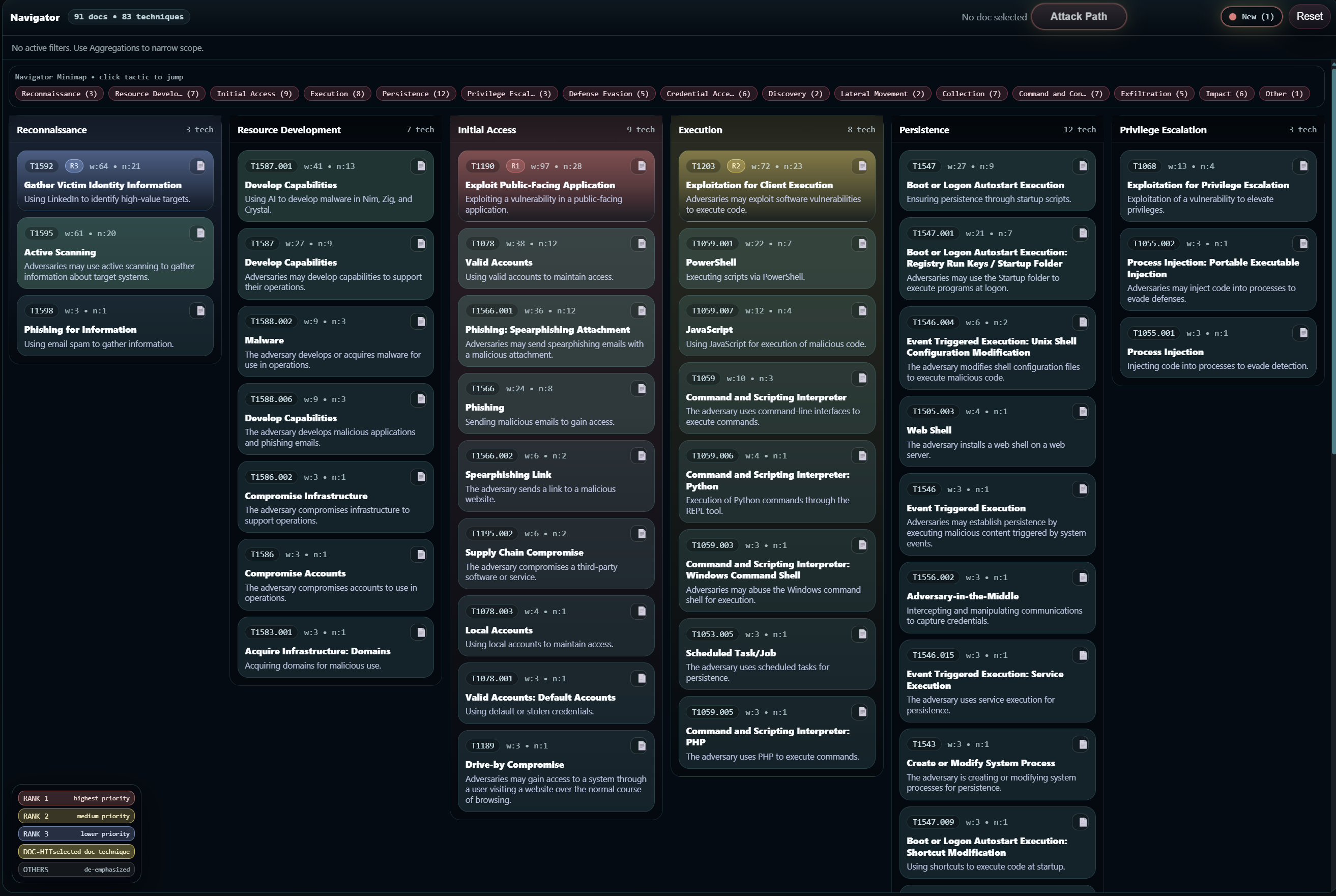
Filter → open technique → select incident → highlight ATT&CK chain → open Attack Path → use Hunt Pack.
The page is intentionally concise: what the platform shows, how it works, and where it helps the most.
Technique cards are grouped by tactic so incidents become easier to compare, track, and explain.
Each card shows technique ID, technique name, a short description, rank or weight indicators, and a report list entry point.
Selecting a report highlights the incident's ATT&CK technique chain and opens the path toward Attack Path and Hunt Pack.
All mapped techniques are organized under standard ATT&CK tactics for a consistent view across incidents.
These screenshots show the Navigator-style layout, technique cards, and the operational feel of the platform.
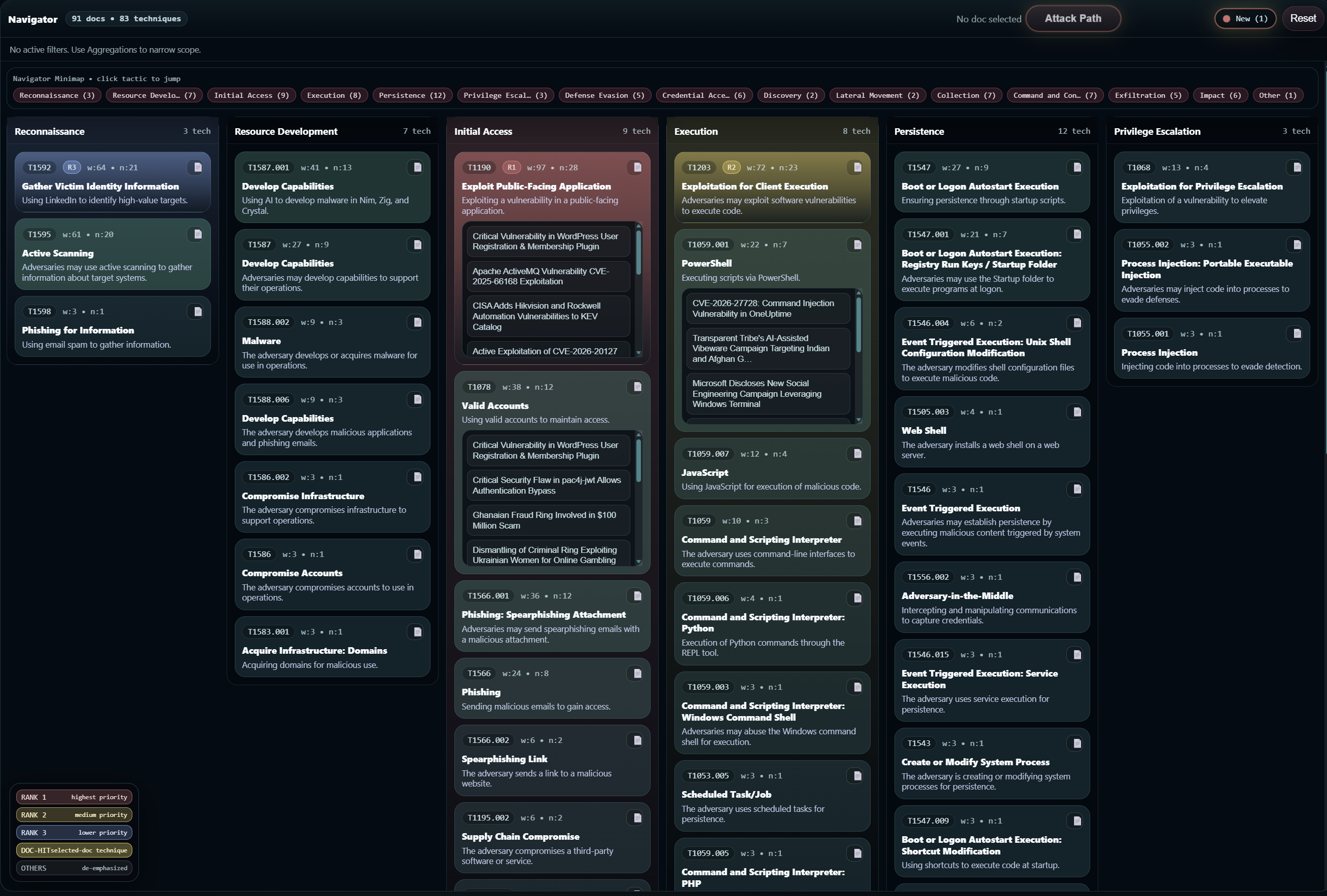
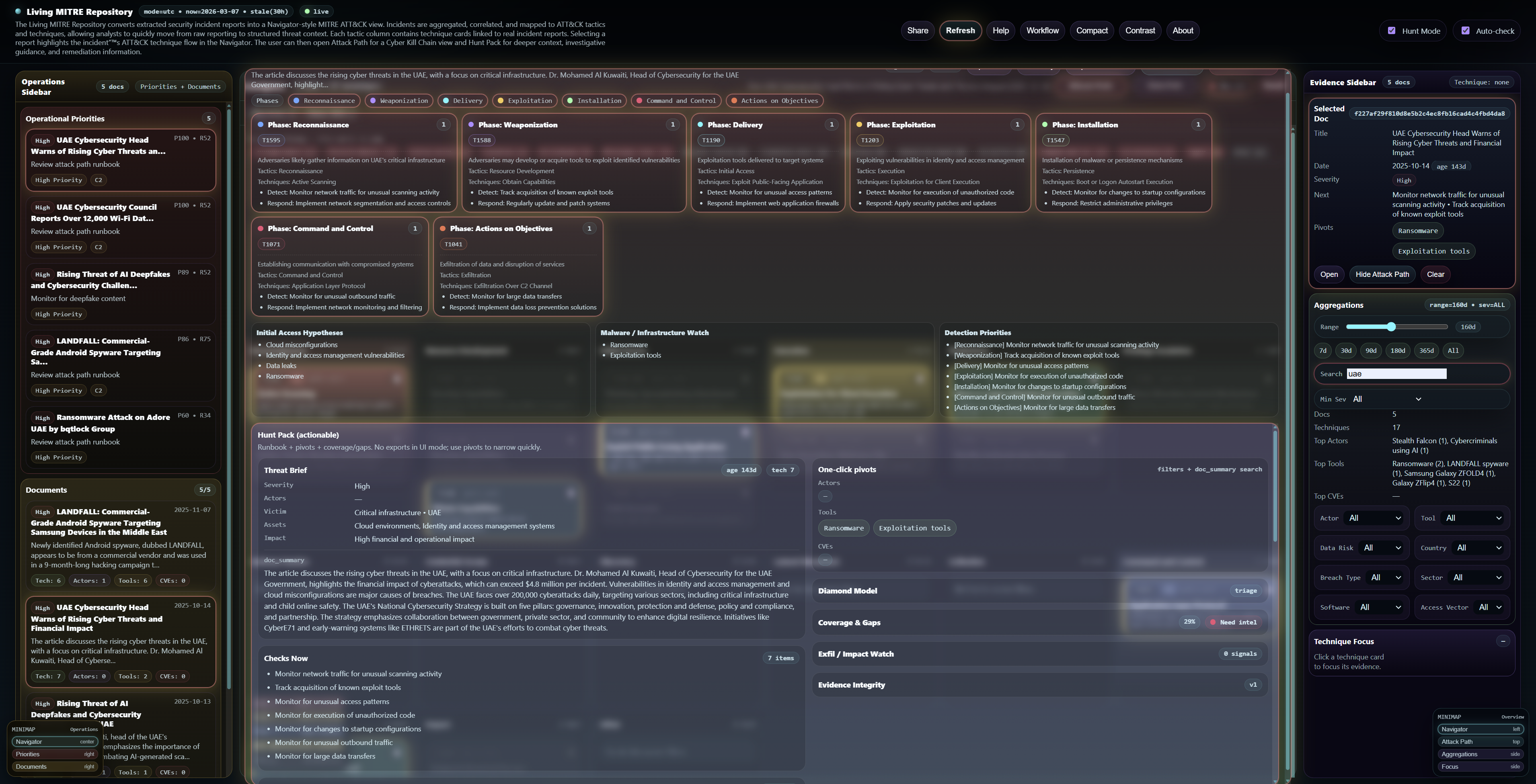
Designed to be readable and fast: narrow the view, inspect the techniques, and pivot into investigation support.
Everything below is short on purpose, so the page stays easy to read while still being useful for onboarding and sharing.
A living threat repository where real-world incidents are continuously mapped to ATT&CK tactics and techniques, in a Navigator-style view. The platform turns raw incident reporting into structured, reusable threat context. Analysts can filter the dataset, inspect technique cards, open linked reports, highlight incident technique chains, and use Attack Path plus Hunt Pack for deeper operational guidance.
The Living MITRE Repository maps real-world incidents to ATT&CK tactics and techniques in a Navigator-style view. Each technique card links to incident reports, selected reports highlight their ATT&CK flow, and Attack Path plus Hunt Pack provide deeper context, investigation guidance, and remediation support.
Use severity, actor, tool, sector, country, software, breach type, access vector, and time range to narrow the dataset fast.
Open a technique card to see the supporting incident reports, then pick one to highlight the mapped ATT&CK chain.
Use Attack Path for stage flow and Hunt Pack for deeper guidance, context, and remediation-oriented insight.
Filter by actor, tool, sector, or time range, select an incident, and turn reporting into hunt hypotheses.
Review recurring techniques across incidents and use Hunt Pack context to improve real-world detections.
Search similar techniques, tools, or CVEs during alert review to get faster context around suspicious activity.
Select a report, inspect the mapped technique progression, then open Attack Path to understand likely attacker flow.
Convert static reports into ATT&CK-aligned, reusable intelligence that security teams can navigate and action.
Filter by sector, geography, breach type, software, or access vector to see incidents most relevant to the environment.
Use ranked techniques and operational priorities to decide what deserves immediate attention and resources.
Share the exact filtered page and selected incident view with teammates for faster alignment and handover.
Explore real incidents through ATT&CK, Attack Path, and Hunt Pack to understand how attacks unfold in practice.
Review recurring techniques and patterns to identify control gaps, visibility gaps, and weak playbooks.
MITRE ATT&CK® is a registered trademark of The MITRE Corporation. This project is not affiliated with or endorsed by MITRE.